

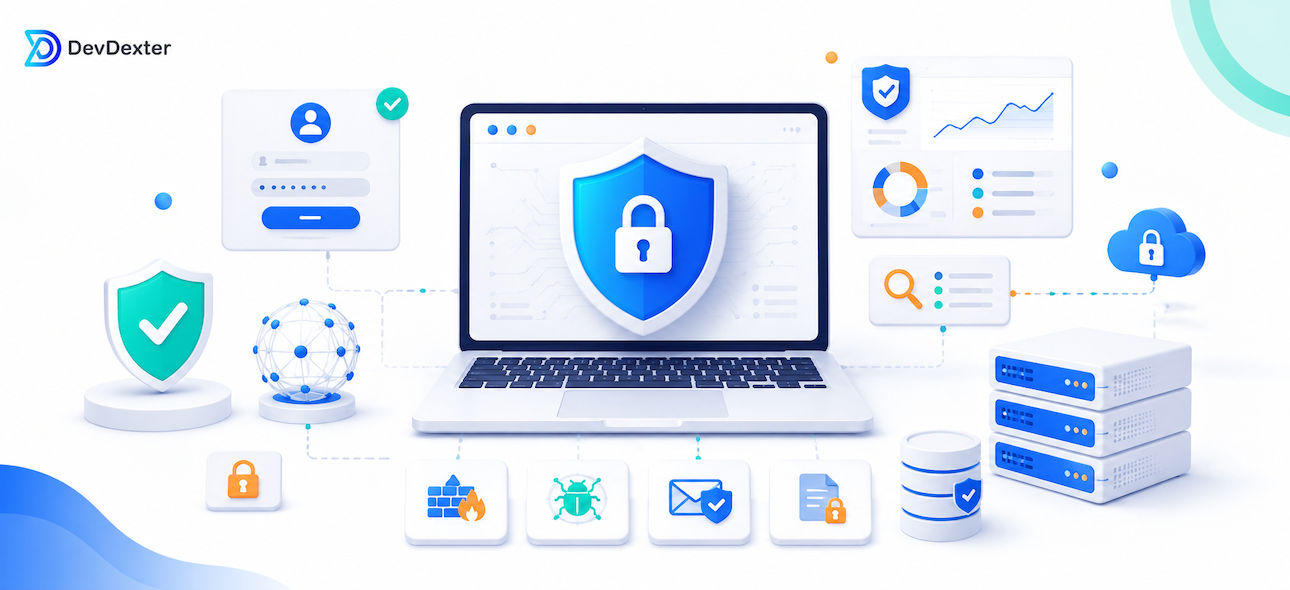
Cybersecurity for a business website is not a single plugin, certificate, or password rule. It is a set of decisions that protect the website, server, users, data, forms, admin access, APIs, backups, and the way the system is maintained after launch. A site can look professional on the outside and still be risky if updates are ignored, access is shared, logs are not reviewed, or backups are not tested.
Security starts with ownership and access
The first step is knowing who can access what. Admin accounts should be limited to the people who actually need them. Shared accounts should be avoided. Strong passwords, multi-factor authentication where possible, and role-based permissions help reduce risk. If a website or web app has customers, staff, editors, developers, and managers, each role should have only the access required for its work.
Access control also applies to hosting, domains, DNS, email accounts, payment gateways, analytics tools, and third-party services. Many security incidents happen because access is too broad or because old accounts remain active after people leave a project. Reviewing access regularly is one of the simplest ways to reduce risk.
Secure the website and backend
SSL, secure hosting, updated frameworks, validated forms, protected admin areas, and safe file upload handling are basic requirements. Forms should be protected against spam and injection. APIs should validate input, authenticate users, check permissions, apply rate limits where needed, and return safe error messages. Admin panels should not expose unnecessary information, and sensitive operations should be logged.
If the system includes payments, private documents, customer data, or operational approvals, security planning should be part of development from the beginning. Adding protection later is often harder and more expensive than building it into the system correctly.
Backups and recovery are part of security
A backup is useful only if it can be restored. Businesses should define how often backups happen, where they are stored, who can access them, and how recovery is tested. If a website is damaged, deleted, infected, or incorrectly updated, a tested backup can reduce downtime and protect business continuity.
For important systems, backups should not rely on only one location. It is also wise to keep a record of deployment changes, database changes, and major content updates. This makes it easier to understand what happened if a problem appears.
Monitoring and maintenance
Security is not finished at launch. Websites and systems need updates, monitoring, log review, dependency checks, performance checks, and regular maintenance. If a plugin, package, server library, or framework becomes vulnerable, the risk increases over time. Maintenance helps keep the system stable and safer.
Monitoring should include errors, unusual login activity, failed requests, high traffic spikes, and important business events. Clear logs help developers investigate problems faster and reduce guesswork. For business-critical systems, monitoring also helps teams notice issues before customers report them.
Security for APIs and integrations
Modern websites often connect to payment gateways, CRM systems, email services, analytics tools, customer portals, and mobile apps. Each integration creates another place where data moves. APIs should be protected with authentication, authorization, input validation, rate limits, logging, and careful error handling. Webhooks should be validated so that the system can trust where important events come from.
Common mistakes to avoid
Common mistakes include using weak passwords, sharing admin accounts, installing unreviewed plugins, ignoring updates, storing sensitive files in public folders, and not testing backups. Another mistake is assuming that a small website is not a target. Automated attacks often scan the internet for common weaknesses, regardless of company size.
Businesses should also avoid treating cybersecurity as only a developer responsibility. Owners, managers, content editors, support teams, and administrators all affect security through the way they use accounts, share files, approve changes, and respond to warnings.
How DevDexter can help
DevDexter helps businesses build and maintain websites, web apps, APIs, and internal systems with security and reliability in mind. That can include secure architecture, protected forms, admin permissions, API validation, hosting configuration, backups, monitoring, and maintenance planning. The goal is to create systems that are not only attractive, but also dependable for daily business use.
Practical checklist for business owners
Before improving website security, business owners should prepare a simple checklist: who has admin access, where the website is hosted, how backups are created, which forms collect customer data, which integrations are connected, and who is responsible for updates. This checklist makes security easier to manage because it turns a vague technical concern into a set of clear actions. Even small improvements, such as removing old accounts, testing backups, and reviewing plugin or package updates, can reduce avoidable risk.
Frequently Asked Questions
Is SSL enough to secure a website?
No. SSL protects data in transit, but the website still needs secure code, protected admin access, updates, backups, monitoring, and safe server configuration.
How often should a business review website security?
Security should be reviewed regularly, especially after major updates, new integrations, plugin changes, server changes, or new user roles.
What is the most important first step?
Start by reviewing access: admin accounts, hosting, domain, email, third-party tools, passwords, and permissions. Access control is often the fastest risk to reduce.
Need a more secure website or web app? Explore DevDexter services or contact DevDexter.
Need a custom website, app, or AI automation system?
Contact DevDexter to discuss your project and get a practical development plan.