Workflow fit
Build around your approvals, statuses, user roles and reporting structure instead of adapting to generic limits.


We build custom high-performance websites & apps with 24/7 support.
Replace patchwork tools with software built around the way your business actually runs, from portals and dashboards to workflow automation and internal systems.
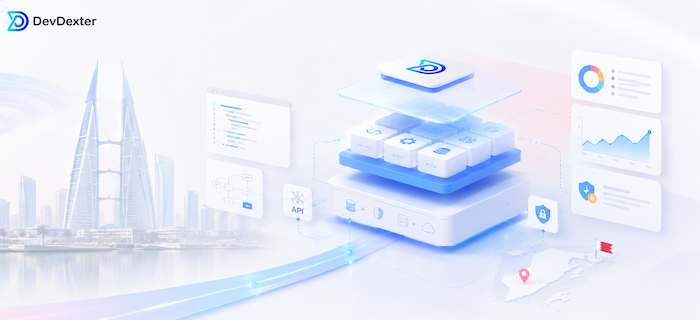
Bahrain businesses often reach a point where standard SaaS tools no longer match approvals, reporting, customer experience or internal workflow. DevDexter helps scope, design and build custom software around real users, roles and growth goals.
Build around your approvals, statuses, user roles and reporting structure instead of adapting to generic limits.
Give teams and managers dashboards, alerts and clean records so work is easier to track.
Start with a focused first version, then add portals, integrations, automation and mobile extensions later.
The strongest software projects usually start with a business process that has become too important to manage through spreadsheets, email threads and disconnected subscriptions.
DevDexter helps Bahrain businesses replace scattered process handling with a central system for records, approvals, roles, reporting and customer-facing actions. The goal is not to rebuild everything at once. It is to identify the first version that removes real operational friction and creates a platform that can grow.
For many teams, the first step is connecting internal workflow with a custom application, a secure web application, or a reporting layer such as a custom dashboard.
A custom system should create measurable clarity for the people who use it every day. Good outcomes are practical: fewer manual steps, cleaner handoffs, better access control and reporting that leadership can trust.
Your first version can combine the modules that matter most now, then expand when the workflow and adoption are proven.
Track leads, clients, cases, opportunities, stages and follow-ups around your own process.
Give teams controlled screens for records, approvals, data updates and daily actions.
Let customers submit requests, view status, share files and approve documents securely.
Manage multi-step reviews, decisions, notifications and activity history in one place.
Show operational KPIs, workload, status, revenue, service quality and exceptions.
Connect the system with payment tools, CRMs, forms, email workflows or existing databases.
Separate staff, managers, customers and admins with practical permissions.
Use reminders and alerts to reduce missed actions and manual chasing.
Matter tracking, client updates, document approvals and staff task visibility.
Client requests, delivery status, reporting and recurring service workflows.
Appointment, admin, patient request and back-office coordination workflows.
Lead flow, property requests, agent activity and client communication tracking.
Admissions, student services, internal operations and reporting dashboards.
Approvals, activity logs, role-based access and management reporting.
Custom software becomes more valuable when it reduces duplicate work between the tools your team already uses.
Define business goals, users and operational pain points.
Document data flow, reports, integrations and project assumptions.
Plan interfaces, permissions, workflow rules and architecture.
Build in practical stages with review points and usable releases.
Launch, monitor adoption and refine based on real usage.
Software development cost depends on how much operational logic the first version needs to handle. A focused scope is usually stronger than a vague all-in-one wish list.
Different permissions, dashboards and approval paths add planning and testing effort.
More statuses, exceptions and decision rules require clearer architecture.
External systems affect API planning, data mapping and reliability checks.
Dashboards, exports, filters and KPI logic influence both design and development.
Moving records from spreadsheets or old systems needs cleanup and validation.
Ongoing improvements, monitoring and new modules can be planned after launch.
We start with workflow, users and operational value before discussing screens and features.
Interfaces are designed for staff and clients who need to complete work quickly.
Projects are structured so future modules, dashboards and automation can be added sensibly.
The scope is shaped into phases so the first release can solve a real business problem.
Tell us the workflow that is slowing your team down, and we will help turn it into a practical first-version scope.
Scope and budget drivers across GCC software projects.
Factors behind custom application pricing.
How to choose between a public site and a functional platform.
Related Bahrain-focused custom software guidance.
Custom software is designed around your users, workflow, data model and reporting needs. A SaaS tool may be faster to start with, but it often forces process compromises.
No. Mid-sized businesses often benefit when manual work, re-entry or approval delays are already slowing growth.
Yes. A modular first version can later support portals, dashboards, integrations, automation and extra user roles.
Cost depends on scope, workflow complexity, integrations, reporting depth, user roles and future growth requirements.
Start with the process, users, must-have actions, data sources, reports, examples and the business result the first version must support.
Yes. If spreadsheets and email are being used to manage approvals, requests, records or reporting, a custom system can centralize those steps.
Yes. A project can include internal admin workflows, client portal access, dashboards and integrations in the same planned platform.
We will help organize the scope, features and next practical step for a custom system that fits your business workflow.
Stay updated with DevDexter news, offers, and tech insights.
Web & App Development for the World.
© 2026 DevDexter | All Rights Reserved