

Why Businesses Need Custom Software Instead of Excel is an important topic for companies that want digital work to become more reliable, measurable, and easier to improve. A good project is not only about choosing a technology or publishing a few pages online. It starts with understanding the business goal, the people who will use the system, the information that must be collected, and the decisions that managers need to make with confidence. For companies that have outgrown spreadsheets for daily operations, reporting, and customer processes, the right digital solution can reduce manual work, improve response speed, organize data, and create a stronger base for long-term growth.
Why custom software instead of Excel matters for modern businesses
Custom Software Instead Of Excel matters because customers and internal teams now expect fast, clear, and secure digital experiences. When a website, app, portal, or internal system is planned well, it becomes part of the business operation instead of being just a technical asset. It can help sales teams follow leads, support teams answer questions faster, managers review reports, and employees complete tasks with fewer repeated steps. The most successful projects connect business needs with practical technology, rather than adding features that look impressive but do not solve the real problem.
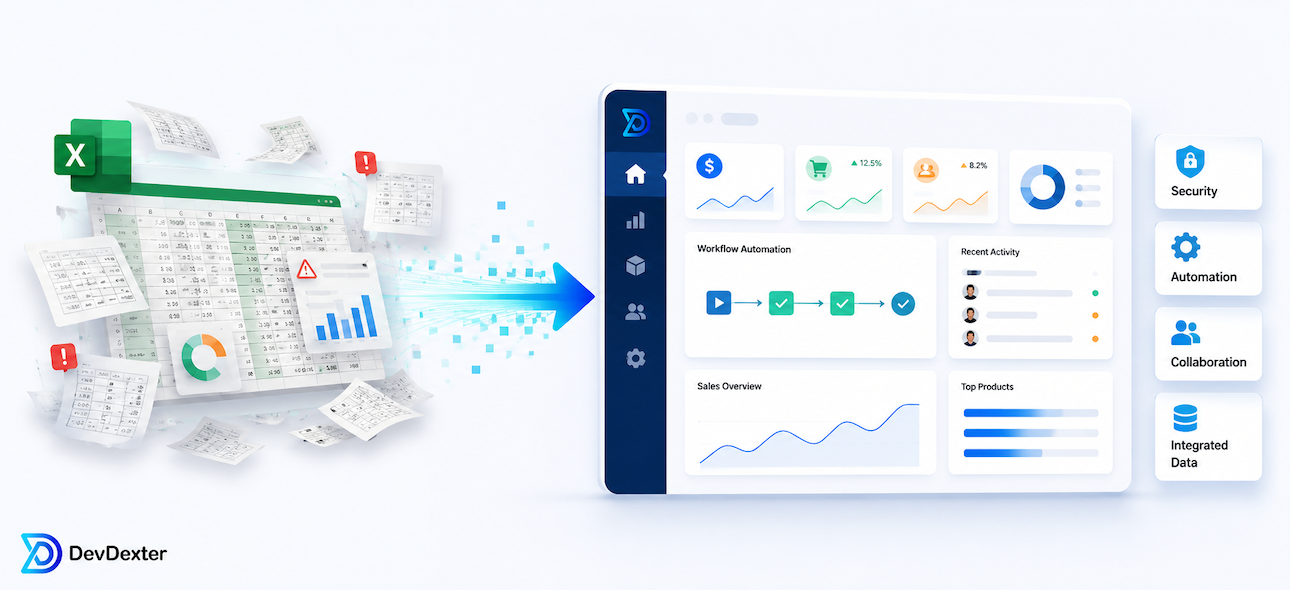
In many companies, the biggest problem is not lack of effort. It is disconnected work. Data may be stored in several spreadsheets, approvals may happen through email, customer details may be copied between tools, and reports may depend on manual updates. A carefully planned digital system can replace this friction with clear forms, structured records, automated notifications, role-based access, and dashboards that show what is happening without waiting for someone to prepare a report manually.
What should be included in the planning stage
Before development begins, the team should define the users, workflows, data, permissions, integrations, and reporting needs. This planning stage should answer practical questions: who can create records, who can approve them, what happens when information is missing, which notifications are required, and what reports are needed each week or month. For projects related to spreadsheet limits, data accuracy, approvals, dashboards, permissions, automation, this stage is especially important because small decisions in the beginning can affect cost, timeline, security, and maintenance later.
A strong plan also separates the first version from future phases. Not every idea needs to be built at once. A focused first version should solve the most important workflow, collect clean data, and give the business a stable foundation. After launch, the system can be improved based on real user behavior, feedback, analytics, and operational results. This approach is usually safer than building a very large platform before the team has tested the core process.
Useful features and deliverables
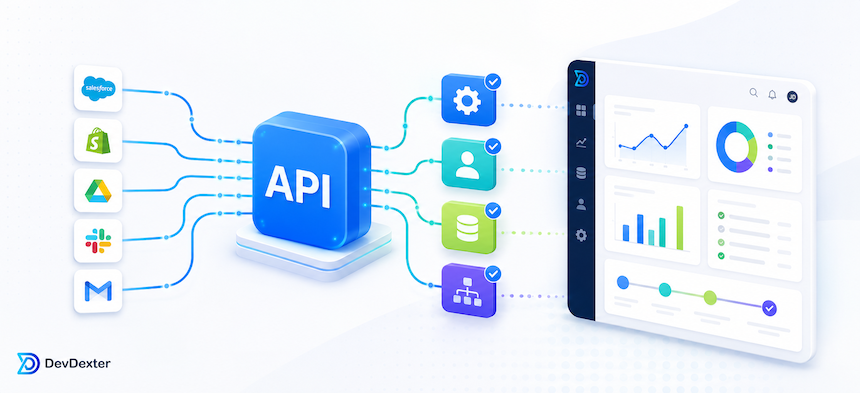
Depending on the project, useful deliverables may include data models, user roles, automated workflows, validation rules, dashboards, audit logs, imports, exports, and integrations. These items should not be selected randomly. Each feature should support a clear business purpose. For example, a dashboard should show numbers that help managers make decisions. An API should remove repeated data entry or connect two systems that currently work separately. A portal should make communication easier for customers or staff. A form should collect information in a structure that can be searched, reported, and protected.
Security and reliability should also be included from the beginning. Business systems need secure authentication, permission levels, backups, error handling, monitoring, and clear ownership of data. If the project includes payments, customer records, private documents, or operational approvals, the development process should include validation rules, audit logs, and careful testing. These technical details may not be visible to customers, but they are what make the system dependable after launch.
Common mistakes to avoid
One common mistake is keeping critical operations in unprotected files; duplicating versions; ignoring access control; rebuilding the same reports manually. Another mistake is measuring success only by launch date. A project can launch on time and still fail if users do not understand it, if the content is unclear, if reports are missing, or if the system does not fit the real workflow. Businesses should also avoid vague proposals. A professional proposal should explain scope, assumptions, deliverables, responsibilities, support terms, and what is not included.
It is also important not to treat design, development, SEO, security, and maintenance as separate islands. A beautiful interface can still perform poorly if the content is weak or the page loads slowly. A technically strong system can still frustrate users if the workflow is confusing. A good project balances usability, technical quality, business logic, and long-term maintainability.
How DevDexter approaches these projects
DevDexter focuses on building practical digital systems that support real business operations. The process usually starts with understanding the current workflow and identifying where technology can create measurable value. From there, the work can move into planning, UI structure, development, testing, deployment, and support. The goal is not to add unnecessary complexity, but to create systems that are clear, stable, and useful for the people who depend on them every day.
For businesses that need a website, web app, internal portal, API integration, dashboard, automation workflow, or AI-assisted tool, the best starting point is a focused discovery discussion. That discussion should clarify the goal, the users, the current pain points, the timeline, and the level of support required after launch.
Frequently Asked Questions
How long does a project like this usually take?
The timeline depends on scope, features, integrations, content, approval cycles, and testing. A focused website or small internal tool may take weeks, while a larger business platform needs deeper planning and phased delivery.
Should a business start with a full system or a smaller first version?
In most cases, a smaller first version is safer. It allows the business to validate the workflow, collect feedback, and improve the system before investing in every advanced feature.
What information should be prepared before requesting a quote?
Prepare the business goal, target users, required pages or modules, important workflows, integrations, examples of similar systems, content status, preferred timeline, and any technical or compliance requirements.
Need a practical development plan? Explore DevDexter services, review pricing, or contact DevDexter to discuss the best path for your project.
Need a custom website, app, or AI automation system?
Contact DevDexter to discuss your project and get a practical development plan.